
Every time you open YouTube, do a search on Google, click on an Instagram link, or visit any site on the web, you are using something which is the very heart of the internet – the URL.
You may not realize it, but every click that you make is based on URL. It is the thing which connects one page to the other page and enables information transfer instantaneously on the internet. Without URL, the internet wouldn’t have felt as connected and you would not have been able to open up sites, watch videos or share anything over the internet.
What is a URL?
URL is the unique identifier of a resource available on the internet. It tells your browser where exactly it needs to go and what kind of content you need to see.
Just like a home address helps someone locate your place, URL is a digital address which takes the browser from its current page to some other page or a particular resource.
In this guide, we will learn all about URLs in a practical manner through actual examples.
What is URL?
The full form of URL is Uniform Resource Locator.
URL is the full web address that allows access to all kinds of contents available on the Internet.
Some examples of resources which may be opened using a URL include the following:
- Webpage
- Video
- Image
- PDF file
- Document
Any kind of Internet content
For example:
https://www.youtube.com/@umeed-e-shifarehabilitatio8013
If this link is entered in your browser, it would take you directly to a particular video.
Therefore, in simple terms:
URL is the unique address which enables your browser to locate and open anything on the Internet.
Why URLs Are Important in Daily Life
URLs are used more often by you than what you think.
Clicking any one of these links:
- Social networking site postings
- Search engine result pages
- Web articles
- Video clips
- E-mail messages
These all use URLs.
Without URLs, you wouldn’t be able to:
- Open web pages directly
- Share links
- Navigate the Web
URLs work like the roadmap of the Internet.
Real-Life Example to Understand URL
Let us try to grasp this concept with an extremely easy example.
- Consider the internet to be like a huge city.
- The websites would be the buildings.
- Web pages are the rooms in those buildings.
URLs are the addresses of the streets that help you get to the right room.
Consider the following point now.
Unless you know the exact address, you would never be able to get to the right place.
This is exactly what the URLs do for the internet.
How Does a URL Work?
The moment you enter a URL in your browser, the whole process becomes swift.
Here is how it goes through a step by step process:
- Your browser scans the URL
- Then, it connects to the server of the website
- The server accepts your request
- It searches for the page or file that you require
- It returns the data to your browser
- Then, it displays the webpage on your computer screen
This whole process is completed in just a few seconds.
Though it seems very simple, there are lots of processes that take place behind the scenes.
One of those systems that facilitate such smooth and secure communication is:
Hypertext Transfer Protocol
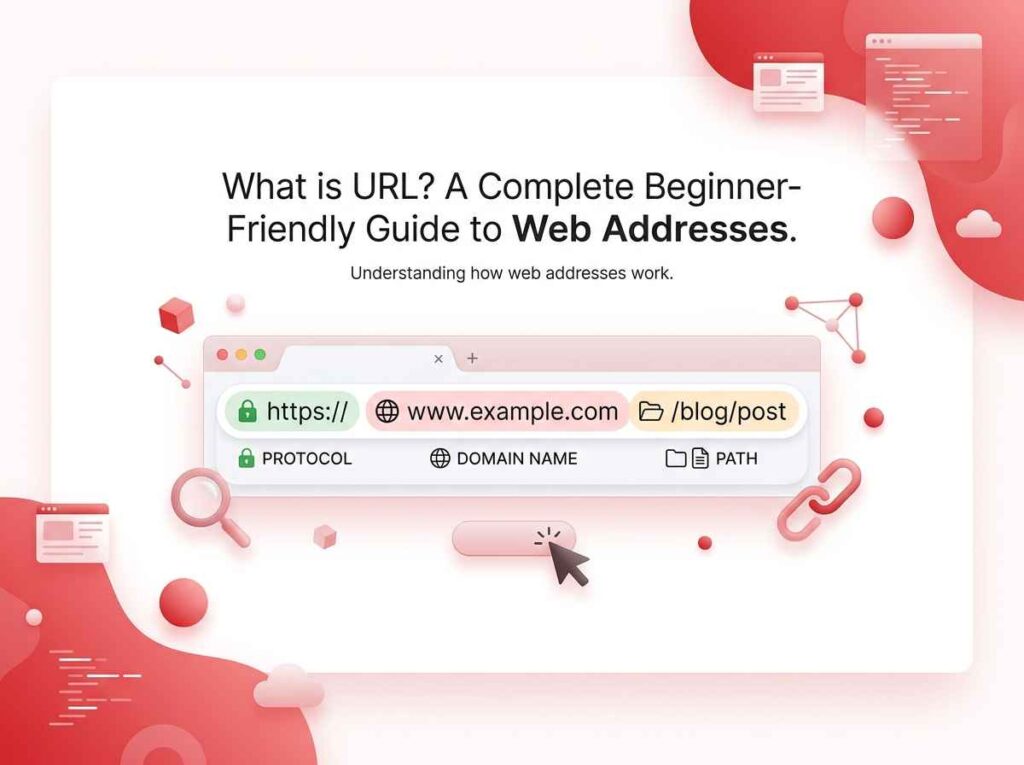
Structure of a URL
The URL is not arbitrary text but consists of various elements with their functions.
Let us look at the following example:
https://www.example.com/blog/what-is-url?type=basic#section1
And now let us dissect it.
1. Scheme (Protocol)
Examples:
- http
- https
The scheme is the first element of a URL.
It informs the browser about how to communicate with the site.
HTTPS is a more secure version and is used on most sites nowadays.
2. Domain Name
Example:
www.example.com
This is the primary identity of a website.
It indicates to the browser which website to access.
Some examples include:
- google.com
- youtube.com
- facebook.com
Without a domain name, the browser won’t be able to identify which website you wish to browse.
3. Path
Example:
/blog/what-is-url
This path indicates the actual position of a webpage in a website.
Consider it as the folders in your computer.
If there is no path, then all you will see is the homepage of a website.
4. Parameters (Query String)
Example:
?type=basic
This is additional information provided to the website.
It may be useful for:
- Searching particular information
- Result filtering
- User behavior tracking
- Generating dynamic web pages
Parameters make it possible to personalize web page content.
5. Anchor (Fragment)
Example:
#section1
Anchors take you directly to a particular point on a website page.
This is helpful when there is a long article from which you can navigate to a certain section without having to scroll.
Types of URLs
URLs come in two major forms that are used on the Internet.
1. Absolute URL
An absolute URL refers to the complete web address.
For example:
https://www.example.com/blog/what-is-url
It contains all the information required to access a particular web page from anywhere in the world.
It can be shared, copied, and used everywhere.
2. Relative URL
Relative URL refers to the shortened form of URL that is used in websites.
For example:
/blog/what-is-url
It does not contain any domain name in it.
It is used inside the website only.
Why URLs Are So Important
URLs are among the essential components of the internet.
1. They Help You Get Access to Content
Without URLs, you won’t be able to access any website at all.
2. They Help You Share Information
URLs are easily copyable and shareable, taking only seconds to do.
For instance:
YouTube video links
Pages on news websites
3. They Help Organize the Internet
URLs organize websites hierarchically according to the category and page.
Thus, organizing huge websites.
4. They Help Build Trust
Nice-looking URLs build more trust with the user.
Features of an Effective URL?
An effective URL must be:
- Brief & straightforward
- Readable
- Descriptive of the page content
- Without unnecessary numbers
- With hyphens between words
Good Example:
example.com/what-is-url
Bad Example:
example.com/page?id=92831&ref=abc77
The above example clearly describes the page.
Common Mistakes in URLs
Many beginner users, as well as some web pages, often create incorrect URLs.
1. Too Long URLs
It is difficult to memorize and share long URLs.
2. Usage of Random Letters and Numbers
This makes the URL unreadable and unprofessional.
3. Usage of Underscores
Bad:
what_is_url
Good:
what-is-url
Hyphens are more readable.
4. Usage of HTTP Instead of HTTPS
HTTP protocol is not safe. Modern web pages use HTTPS.
Real Example of URLs in Action
Searching for “what is URL” using Google yields sites such as:
- https://example.com/what-is-url
- https://techsite.com/url-guide
- https://learnplatform.com/url-basics
Every one of these URLs takes you to different pages on the same subject.
This is how trillions of websites are linked together on the Internet.
Why You Should Understand URLs
Knowledge about URL can assist you in:
- Utilizing the Internet effectively
- Proper use of links
- Website structure understanding
- Development of better websites or blogs
- Enhancement of computer literacy skills
It is always helpful to know even the basics of URLs in today’s era.
Conclusion
Therefore, what is a URL?
URL is the address that helps you access any resource on the internet, including sites, videos, images, and files. The address helps your browser get to the exact place where the resource you are looking for can be found and also shows you how to access it.
All URLs have many components, such as scheme, domain, path, parameters, and anchor, among others. All these components help create an easy and effective way of navigating the internet.
In essence, URLs are the basis of navigation on the internet. If URLs were not there, it would mean that you would not have any easy way of accessing and sharing any material available on the internet.
FAQs
What is the definition of URL?
It is the web address through which we can open any web page or resource on the internet.
What is the full form of URL?
The full form of the URL is Uniform Resource Locator.
What are the components of a URL?
Scheme, domain, path, query, and anchor.
Why are URLs important?
They play a role in accessing and organizing the internet.
What is the difference between URL and domain?
Domain refers to only the name of the website whereas URL is a full address of that website.
2. What is the full form of URL?
The full form of the URL is Uniform Resource Locator.
3. What are the components of a URL?
Scheme, domain, path, query, and anchor.
4. Why are URLs important?
They play a role in accessing and organizing the internet.
5. What is the difference between URL and domain?
Domain refers to only the name of the website whereas URL is a full address of that website.